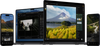
Waarom kiezen voor de filmische filters van Luminar?
Creëer een filmisch effect op je foto's. Pas met één klik een filter toe en download het resultaat.
Eenvoudig online bewerken
Upload eenvoudig je foto en voer een snelle bewerking uit.
Helemaal gratis
Geen betaling of abonnement vereist. Geen watermerken.
Maak een filmische foto
Kies precies de sfeer die je wilt: filmkorrel, dramatisch, mystiek en meer.
Vertrouwd door fotografen wereldwijd
Vertrouwd door meer dan een miljoen
fotografen en organisaties
Bekroonde software
met intuïtieve AI-gestuurde bediening
Wat kun je nog meer met Luminar doen?
Verder dan filmische fotostijlen: ontdek deze krachtige mogelijkheden voor je foto's.
Verwijder afleidingen in enkele seconden
Erase verwijdert intelligent ongewenste objecten, mensen, draden en oneffenheden en vult de ruimte naadloos aan om aan te sluiten bij de omgeving — geen handmatige retouche nodig.
Voor
Na
Creatieve controle eenvoudig gemaakt
Verfijn elk detail met professionele bewerkingsfilters. Pas kleur, licht, contrast, sfeer en meer aan om je unieke creatieve visie met precisie te realiseren.
Voor
Na
Geef oude foto's nieuw leven
Herstel vervaagde, bekraste of beschadigde afbeeldingen met AI-tools die details verbeteren, oneffenheden verminderen en dierbare herinneringen bewaren, in slechts een paar klikken.
Voor
Na
Vervang de lucht direct
Vervang saaie of bewolkte luchten met adembenemende alternatieven in één klik. Sky AI past automatisch belichting, reflecties en sfeer aan voor een natuurlijk ogend resultaat.
Voor
Na
Natuurlijk ogende portretten, moeiteloos
Verzacht de huid, verminder oneffenheden en verbeter gezichtskenmerken met behoud van realistische textuur. Maak verfijnde portretten zonder de kunstmatige look.
Voor
Na
Verfijn het licht na de opname
Light Depth leest de diepte van je afbeelding om een 3D-kaart van de scène te creëren, waardoor je de voorgrond en achtergrond onafhankelijk van elkaar lichter of donkerder kunt maken voor een meer ruimtelijke en gebalanceerde belichting.
Een cinematografisch filter geeft je foto's de visuele uitstraling van een film door het kleurenpalet, het contrast, de belichting en de algehele sfeer aan te passen. Een cinematografische foto kenmerkt zich vaak door zorgvuldig uitgebalanceerde tinten, een sterker contrast en een belichting die bijdraagt aan het creëren van sfeer en emotie. Juist deze elementen zorgen ervoor dat een foto er cinematografisch uitziet.
Je kunt in drie eenvoudige stappen een filmische uitstraling creëren:
Upload je foto naar deze pagina.
Kies een filmisch filter en pas de intensiteit ervan aan zodat deze bij je afbeelding past.
Pas het effect toe en download je bewerkte foto.
Ja. Je kunt een filmisch filter toepassen en het resultaat direct op deze pagina gratis downloaden. Zo kun je online en kosteloos je foto's een filmische uitstraling geven, zonder dat je daarvoor software hoeft te installeren.
Ja. Je kunt verschillende filmische fotofilters op dezelfde afbeelding uitproberen om uiteenlopende sferen en kleurstijlen met elkaar te vergelijken. Kies voor het beste resultaat de stijl die het mooist aansluit bij je foto; combineer liever niet te veel effecten tegelijk.
Een cinematografisch filter is erop gericht om een filmachtig kleurenpalet, contrast, belichting en sfeer te creëren. Een filmfilter is ontworpen om de kenmerken van analoge film na te bootsen, zoals filmkorrel, zachtere tinten en vervaagde of verschoven kleuren. Ontdek deze effecten met de filters in Luminar on Web.
Luminar biedt tools voor filmische fotobewerking, zowel in je browser als op je computer. Je kunt online snel filmische stijlen toepassen, of de desktop-app gebruiken voor geavanceerdere bewerkingen en creatieve controle.
Nee. Met een online cinematografisch filter kun je je foto direct in je browser bewerken, zonder dat je iets hoeft te installeren. Wil je geavanceerdere bedieningsopties, een breder scala aan bewerkingstools en de mogelijkheid om diepgaandere aanpassingen aan je foto's te doen? Dan kun je Luminar op je computer gebruiken om je foto's een cinematografische uitstraling te geven.
Het online filmische filter is een snelle manier om een op films geïnspireerde look te creëren, vanaf vrijwel elk apparaat. Luminar voor desktop fungeert als een volwaardige editor voor filmische foto's, voorzien van geavanceerdere tools, nauwkeurige aanpassingsmogelijkheden en ondersteuning voor RAW-bestanden. Hierdoor is het programma uitermate geschikt voor gedetailleerde filmische fotobewerking en een volledig bewerkingsproces.
App Vereisten
macOS
Mac Model
MacBook, MacBook Air, MacBook Pro, iMac, iMac Pro, Mac Pro, Mac mini, begin 2010 of nieuwer
Processor
CPU Intel® Core™ i5 8 Gen of beter
OS versie
macOS - 12.0 of hoger.
RAM
Geheugen 8 GB RAM of meer (16+ GB RAM wordt aanbevolen)
Schijfruimte
Harde schijf 10 GB vrije ruimte; SSD voor beste prestaties
Monitor
1280 x 768 resolutie of beter
Windows
Hardware
Windows hardware-pc met muis of vergelijkbaar invoerapparaat
Processor
CPU Intel® Core™ i5 8 Gen of beter, AMD Ryzen™ 5 of beter
OS versie
10 versie 1909 of hoger (alleen 64-bits besturingssysteem).
RAM
Geheugen 8 GB RAM of meer (16+ GB RAM wordt aanbevolen)
Schijfruimte
Harde schijf 10 GB vrije ruimte; SSD voor beste prestaties
Monitor
1280 x 768 resolutie of beter
Grafisch
Open GL 3.3 of later compatibele grafische kaarten