
Replace skies in seconds
Use Sky AI to change a dull or overcast sky into a vivid sunset, dramatic clouds, or a clear blue sky. Transform your photo without complex manual edits.

Replace the sky in one click in your browser, with lighting matched to your scene.


No installation, no watermarks. Free.
Analyzing...
Applying Sky AI
Seems like your device or browser doesn’t support this feature.
Skies
By uploading a file, you agree to our Terms and Privacy Policy.

Very simple but it is also possible to work on details like with professional software. Perfect support.
Seems like your device or browser doesn’t support this feature.
Want to keep editing?
Unlock more ways to enhance and transform your photos with Luminar on Mobile.
Learn moreTransform the atmosphere of your photos in one quick sky change.
Choose a new sky to turn a plain scene into a dramatic sunset, a moody cloudy day, or a clear blue-sky view.
Automatically adjust the image lighting to complement your new sky and create a more cohesive look.
Explore different skies to give landscapes, travel shots, and cityscapes the atmosphere your story needs.

Trusted by over a million
photographers and organizations

Award-winning software
with intuitive AI-powered controls
From standard ratios to custom shapes.
Open your image in Luminar on Web or Desktop.


Open Sky AI and select a sky that fits your photo and creative vision.
Let AI blend the new sky and match the lighting to your scene for a cohesive look.
Find out what capabilities await in Luminar on Web.
Use Sky AI to change a dull or overcast sky into a vivid sunset, dramatic clouds, or a clear blue sky. Transform your photo without complex manual edits.
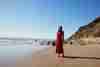

Sky AI adjusts the lighting to complement the replacement sky, helping the foreground and background work together for a more realistic result.


Choose skies that bring out the feeling you want, from warm golden-hour landscapes to cinematic stormy scenes. Make every photo tell your story.
More capabilities for editing your photos.
6 reasons to make Luminar your go-to web editing space.
Pay once, keep the Web editor and Mobile app forever — zero subscriptions.
Luminar’s iconic tools, including Light Depth and Sky AI, seamlessly brought to the web.
Unlimited access to every AI tool with zero hidden credit limits.
Seamlessly sync your photos and edits between mobile and web.
Full RAW file support directly in your browser without lag.
A rich collection of professional presets and filters crafted for every creative style.
Black friday offer
Luminar on Web runs only in desktop browsers
Get Luminar on Web today and enjoy Luminar on Mobile for free.
INCLUDED
GET MOBILE FOR FREE
WEB-EXCLUSIVE DEAL
Products
INCLUDED
Everything in Web, plus:
Products
Everything in Web Full Access, Plus:
Start on mobile, continue on desktop. Sync your work with ease.
Includes performance updates, bug fixes, new cameras support and more
To replace the sky in a photo, upload your image to Luminar on Web, open Sky AI, and choose a new sky. The AI detects the existing sky, replaces it, and adjusts the lighting to match your scene. You can change the sky in your photo in just a few clicks, without complex manual editing.
Sky AI is designed to blend the new sky with your photo and adjust the lighting for a cohesive result. It also works to preserve details along the edges of buildings, mountains, and other objects. For the most natural look, choose a sky with lighting and colors that complement the original scene.
You can choose from a variety of skies, including clear blue skies, colorful sunsets, dramatic clouds, and atmospheric night skies. Whether you want to add a sunset to a photo, add clouds to a photo, or create a completely different mood, Sky AI helps you transform the scene in just a few clicks.
Yes. Sky AI is designed to detect complex edges, including tree branches and other fine details, to blend the replacement sky into your photo. Results may vary depending on the image, especially when branches overlap with a similar-colored sky, but AI helps preserve intricate details for a more natural-looking result.
Luminar on Web lets you replace skies directly in your browser without installing software. Luminar on Desktop offers a more advanced workflow, including RAW photo editing and batch processing, so you can apply consistent edits across a series of photos. It's a great choice for photographers who want more control over their images and need to edit multiple shots efficiently.
Full access to new assets, unlimited AI tools, and more, on Web and Mobile – for 7 days. Cancel anytime before your trial ends.
Web version requires a desktop browser.
Start your trial now to get instant mobile app access, and log into Web on desktop anytime.
Full access to new assets, unlimited AI tools, and more, on Web and Mobile – for 7 days. Cancel anytime before your trial ends.
Due today $0
Due Nov 17, 2026 $69
You won’t be charged today. Cancel anytime before Nov 17.
The complete experience with basic & AI tools
Your plan $69.00
Web Full Access